Finding the right compact board for travel and real work can feel like checking a long list of must-haves. Your mobile workstation needs a device that fits a daypack, pairs quickly, and still feels good during long typing sessions.
This roundup focuses on footprint and comfort as much as weight. We cover premium compact boards, budget staples, ultralight just-in-case options, foldables for phone-first workflows, and low-profile choices that mimic a laptop feel.
Expect practical advice on layout choices (60% vs 75% vs compact full), noise in public spaces, endurance for constant bag in/out, and multi-device switching for tablets and phones.
Travel usability matters here: we prioritize reliable connectivity, sensible layouts, and real-world battery life over marketing claims. For a deeper look at top picks and trade-offs, see the Wirecutter roundup of the best compact options.
What “Lightweight” Means for a Mobile Workstation Keyboard in 2026
In 2026, “light” for a mobile workstation means more than scale; it’s a balance of mass, volume, and endurance. Think of three measures that matter in practice: ounces on a scale, cubic inches in a pack, and build quality that survives daily shuttling.
Weight vs. footprint: why ounces and inches both matter in a daypack
Weight alone can be misleading. A small but thick device may crowd a tech pouch and refuse to sit flat in an admin panel. Review volume as Pack Hacker does — cubic inches often predict real packability better than grams.
Compact layouts that still keep arrow keys and function keys
75% layouts strike a common travel compromise: they keep arrows and a function row without the sprawl of full-size boards. If you rely on shortcuts or spreadsheets, that preserved layout reduces friction on the road. For layout tips, see this keyboard layout guide.
Durability on the road: thin designs vs. sturdier metal plates
Thin designs win on space and often weigh less, but they can flex or crack after repeated packing. Heavier builds, like the MX Keys Mini with a metal plate, may feel dense yet resist damage. Frame your choice around how often you travel: occasional day trips favor thin; daily carry favors reinforced design.
- Packability: size and volume matter as much as scale.
- Function: preserved keys reduce workflow friction.
- Durability: choose a build that matches your travel routine.
How We Evaluated Portability, Typing Experience, and Battery Life
Our evaluation zeroed in on real-world packability, sustained typing comfort, and realistic battery life. We measured each model the way you would use it: packed in a bag, used at a small desk, and run through long sessions.
Portability scoring and packability
Portability is a numeric and practical score. Test 1 records volume in cubic inches plus dimensions. Then we note how each device fits in common day bags and tech pouches.
Comfort and sustained typing
Test 2 gives a comfort rating out of 10 after hours of real typing. Ratings reflect fatigue, key stability, travel depth, and spacing. Examples: MX Keys Mini 7/10; Apple Magic Keyboard 6.5/10; Lofree Flow84 9.5/10; Keys‑To‑Go 2 6/10; Targus foldable 6/10.
- What we measure: size, pack fit, and how the device uses desk space.
- Typing experience: stability, travel, and wrist posture.
- Battery life: tested with backlighting and real sleep behavior, not optimistic lab claims.
Use these scores to match a model to your travel style — daily nomad, weekly commuter, or occasional business trips. Connectivity and layout get deeper coverage in the next sections.
Connectivity Options for Travel: Bluetooth, 2.4 GHz Dongle, and USB Cable
Travel setups live or die by connection reliability. Pick the right mode and your workflow stays smooth across phones, tablets, and a laptop. Below are clear buyer-friendly options and when each matters.
Bluetooth for phones and tablets
Bluetooth pairs directly with devices and needs no receiver. That makes it ideal for phone-first workflows and minimalist packing.
Pros: simple switching on multi-device boards and no extra dongle to lose.
2.4 GHz receivers for stability
A USB dongle gives a lower-latency, more stable link in crowded Wi‑Fi or office environments. It costs a USB port, but the tradeoff is consistent performance.
Wired mode as a reliable backup
A USB cable is the “always works” option. Use it to pair, to type when batteries die, or to charge mid‑session.
- Packing tip: keep any dongles in a labeled pocket and prefer USB‑C cables to cut clutter.
- When to pick what: Bluetooth for phones/tablets; dongle for low latency; cable when you need guaranteed work time.
- Product quirks: MX Keys Mini supports Bluetooth and a Bolt receiver (sold separately); NuPhy Air75 v2 supports USB, Bluetooth, and a wireless receiver.
Top Picks at a Glance for Different Travel Setups and Budgets
Choose a setup by budget, bag space, and how many hours you type per day. Use the quick summaries below to narrow options fast.
Best premium compact for remote work
Logitech MX Keys Mini: premium feel and great multi-device switching for laptop and tablet users. Best for frequent travelers who prioritize a refined typing experience and reliable battery life.
Best budget everyday pick
Logitech K380: value and longevity with excellent battery life. Ideal for students and hybrid workers on a tight budget.
Best ultralight and pocketable options
Arteck HB030B: ultralight emergency carry; iClever BK06 and Targus foldable fold small for phone-first note takers.
Best low-profile mechanical feel
Keychron K3 / NuPhy Air75 v2: compact 75% layouts that mimic laptop travel feel while offering a more tactile response for long typing sessions.
- Who each is for: frequent travelers, students, hybrid workers, phone-first note takers.
- Primary trade-offs: weight vs. durability; backlighting vs. battery life; mechanical noise vs. quiet scissor switches.
- Tip: check the connectivity section to verify compatibility with your devices before buying.
Best Premium Compact Keyboard for Work Trips: Logitech MX Keys Mini
A premium travel pick should feel like a proper office tool. The Logitech MX Keys Mini pairs a confident key feel with a sturdy single metal plate and a refined design that suits hotel rooms and co‑working desks.
Specs that matter
The MX Keys Mini measures 11.6 x 5.2 x 0.8 inches and weighs 17.6 oz. That size keeps it compact while the mass adds stability for long typing sessions.
Battery behavior in real use
Expect about 10 days with backlighting on during active travel. With the backlight off, battery life can stretch to roughly five months. Plan to top up via USB‑C on longer trips or when you know you’ll work late in dim rooms.
Switching across devices
It pairs with up to three devices and swaps via dedicated buttons. Use it with a laptop, tablet, and phone to move between screens without re-pairing.
- Design trade-off: compact size but not ultralight; weight equals durability for daily travel.
- Connectivity nuance: Bluetooth is the traveler default; Bolt receiver support exists but may require a separate purchase.
- Best fit: frequent travelers and remote professionals who value a refined typing experience and office‑grade comfort.
Best Lightweight Portable Mechanical Keyboard for a True “Laptop-Plus” Typing Feel
For users who crave sharper feedback and preserved productivity keys, certain compact designs deliver a true “laptop-plus” typing upgrade. These boards aim to keep a small footprint while restoring satisfying travel and tactile response.
Keychron K3 QMK: low-profile 75% layout
The Keychron K3 QMK offers a low-profile mechanical feel in a 75% layout that keeps arrows and a function row. QMK support brings deep customization for shortcuts and layers.
Note: Bluetooth-only connection is convenient but not as bullet‑proof as wired use for latency‑sensitive workflows.
NuPhy Air75 v2: multi-mode for travel and office use
The NuPhy Air75 v2 measures about 12.5 x 5.2 x 0.6 inches and weighs roughly 21 oz. Battery life runs ~35–57 hours with backlight on and up to ~220 hours off.
Connection options include Bluetooth (3 devices), a USB receiver (fourth device), and USB‑C wired mode for low latency.
Getting used, noise, and real-world tips
When you’re getting used to low-profile switches and taller keycaps, speed may dip briefly before rebounding. Expect a short adaptation period.
“Even quiet builds can attract attention in shared spaces.”
- Choose quieter switch variants for cafés and libraries.
- Avoid clicky builds in shared offices.
- Reserve louder setups for hotel rooms or private desks.
Best Value Travel Keyboard Under $50: Logitech K380
For under $50, the Logitech K380 stands out as a practical, no‑frills choice for travel and day use. It balances low cost with reliable Bluetooth pairing and a compact size that fits most bags.
The K380 measures about 10.9 x 4.9 x 0.6 inches and weighs 14.9 oz. It pairs with up to three devices and switches quickly. That makes it handy when you jump between a laptop, tablet, and phone.
- Value benchmark: low cost with dependable pairing and small enough for most daypacks.
- Battery behavior: runs on 2x AAA cells with a rated battery life up to two years; heavy daily use usually shortens that to closer to one year. Carry spares.
- Trade-offs: no backlight and the round keys need a day or two to adapt for comfortable typing.
Pro tip: switch the unit off before tossing it in a bag to avoid accidental key presses that drain the battery.
Best fit: students, occasional travelers, and remote workers who want reliable function over premium materials and prefer a simple, fuss‑free portable keyboard.
Best Ultralight Carry for Occasional Use: Arteck HB030B
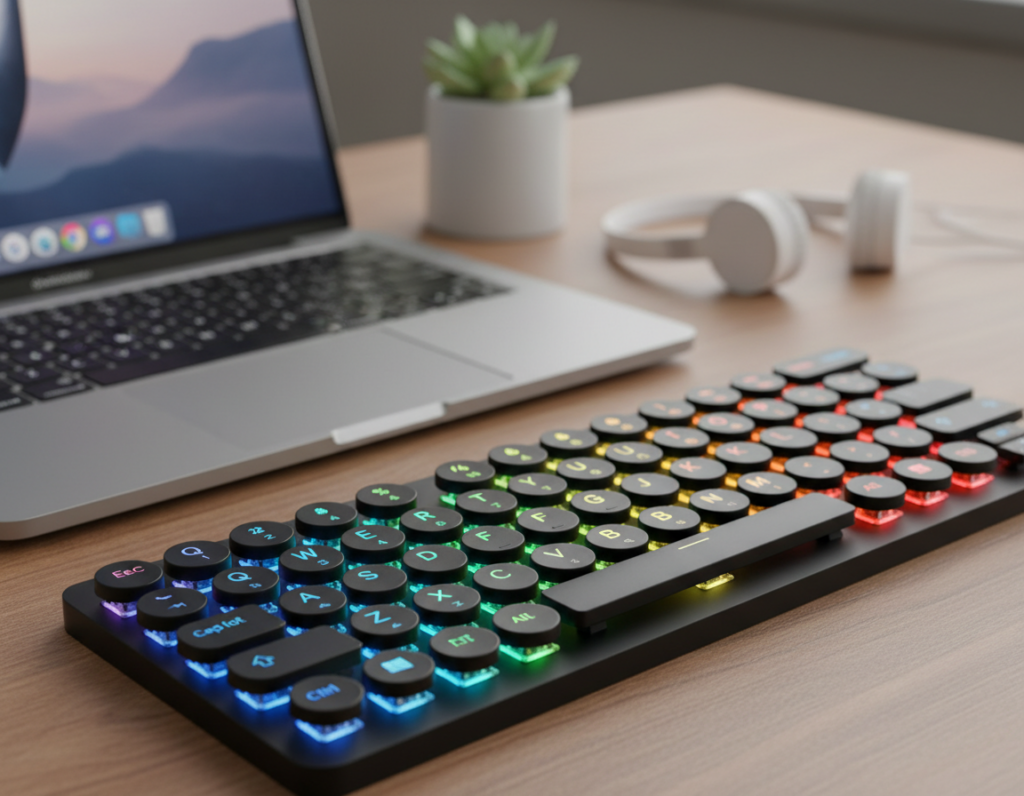
Keep a nearly invisible typing option in your bag. The Arteck HB030B is built to disappear into slim sleeves and tight packs while offering real keys for short work sessions.
Ultralight specs and real-world size
Specs: 7.6 oz and just 0.2 inches thick (9.7 x 5.9 x 0.2 inches). This tiny design fits where most other keyboards do not.
Backlighting trade-offs and battery life
The unit offers seven backlight colors and brightness steps. Backlighting helps in dim rooms but the auto shutoff after ~15 seconds can interrupt focus.
Battery life: rechargeable cell lasts roughly six months with about two hours of daily use. Using backlight reduces effective runtime.
Durability, best fit, and protection tips
Ultra-thin builds are more vulnerable when tossed near chargers or water bottles. The HB030B is best for business trips, conferences, or an emergency “plan B.”
- Why carry it: a light, small spare that beats on-screen typing for quick notes.
- Durability note: avoid pressure; use a slim case or a rigid sleeve area to prevent bending.
- Best use: occasional travel and brief typing sessions, not daily heavy work.
Best Foldable Keyboards for Tight Bags and Phone-First Workflows
For phone-first workflows, a collapsible layout can turn a pocket into a usable workstation. Foldables exist because some people pack light and still need real keys for quick replies and notes.
iClever BK06 — ultra-compact, three-device pairing
Why it stands out: the iClever BK06 folds small, weighs about 6.2 oz, and pairs with three devices via Bluetooth. It often includes a tiny stand for phones and tablets, which makes short typing tasks far easier.
Battery life: expect roughly 40 hours continuous use and auto-off when folded to save power. That makes it ideal for bursts of work on the go.
Targus ergonomic foldable — split angle with a learning curve
The Targus model collapses to nearly passport size and uses a split, angled layout that can ease wrist strain after you adapt. Comfort rates around 6/10 for most users.
Heads up: it charges with Micro-USB. In 2026 that dated usb choice can be a nuisance if you rely on USB-C cables and hate carrying one more cable.
Comfort reality and selection guidance
Foldables trade long-session comfort for extreme packability. They shine for short typing bursts, not marathon typing. If you need the smallest carry or phone-first use, pick the iClever BK06 for sheer compactness and multi-device support.
If you want an ergonomic angle and can tolerate a bit of adjustment, the Targus foldable is the better fit. Overall, choose based on how much typing you do and which design matches your daily routines.
- Best for quick notes: iClever BK06.
- Best for angled comfort: Targus foldable (expect a learning period).
- Pro tip: keep a spare cable if you buy the Targus model to avoid charging hassles.
Most Comfortable “Travel-Okay” Mechanical Typing Experience: Lofree Flow84
If typing comfort is your top priority, the Lofree Flow84 aims to deliver a near-desk experience while still being travel-friendly.
The Flow84 is a mechanical keyboard built around low-friction POM switches. Those switches give smoother travel and less chatter than many common options.
Why the switches and keycaps matter
POM switches reduce noise and deliver a premium tactile feel. That improves the typing experience for long sessions and fast writers.
Practical customization and connectivity
The Flow84 is hot-swappable. You can swap switches to tune force and sound without soldering.
- Lighting: white backlight plus RGB sidelights adjust to your desk or hotel room.
- Multi-device: pairs with up to three devices and charges over USB-C for reliable battery top-ups.
- Customization: change switches and keycaps to match noise and feel preferences.
Portability trade-offs and who should buy it
At about 594 g (1.3 lb) and roughly 68.75 cubic inches, the Flow84 sits near the top of what Pack Hacker calls travel-okay size.
It’s heavier and larger than ultralight picks, but the comfort payoff is real.
“Comfort rating: ~9.5/10 — ideal for writers and heavy typists.”
Recommendation: choose the Flow84 if you often work from hotel rooms or extended stays and value consistent feel over shaving weight. If you travel weekly and type all day, the added size may be worth the superior experience.
Mobile Workstation Setup Tips: Desk Space, Stands, and Daily Carry
A small change to how you place your laptop and input device can cut neck strain and keep you working longer without fatigue.
Pair a laptop stand to improve posture
Raise the screen so the top third of the display sits at eye level. That reduces hunching and shoulder tension during long work blocks.
Use a compact stand on cramped desks at hotels or coworking spaces. Paired with a separate keyboard and a short mouse, the setup feels closer to a home workstation.
Manage cables, charging, and spare batteries for travel days
Carry one short USB‑C cable that doubles for charging and wired mode. Keep it in the same pouch so you always know where it is.
Decide whether you need spare AAA cells or a power bank. Some models charge while you type; others still need replaceable batteries. Switch off units like the K380 on travel days to save battery life.
Pick the right size and layout for your work
If spreadsheets and shortcuts matter, choose a size that preserves function keys and arrows. Writers can go smaller to save desk space.
- Check layout: do you need function keys or extra macros?
- Think about space: a smaller footprint fits most day bags and tiny desks.
- Quick decision: whether ’re mostly in hotels, coworking spaces, or planes changes the best options.
Conclusion
Final takeaway: pick gear that fits your bag and your day. A good keyboard must balance size, layout, and connection to match how you work while on the road.
Think first about portability metrics and pack fit. Then choose the typing feel you like. Add a connection method — Bluetooth, dongle, or USB — that works with your devices.
Quick guide: MX Keys Mini for premium travel work; K380 for budget reliability; Arteck for an ultralight backup; BK06 or Targus for tight bags; Keychron, NuPhy, or Lofree for a more tactile experience.
Plan for power: backlighting shortens battery life, wired mode can save a session, and receivers or cables belong in the same pouch. Pick two must-haves (layout + connection) and one nice-to-have (lighting, customization, or ultra light weight) and you’ll narrow the options fast.