Your keyboard is your primary connection to your PC. Upgrading it often feels more noticeable than many other parts. If you’re looking for a device that feels instant without hurting daily typing, this guide helps you choose.
Responsive here means fast, consistent inputs that match monitor and PC performance and cut friction in competitive play. We aim this roundup at players of FPS, MOBA, battle royale, MMO titles, and hybrid work users.
This guide will weigh input speed, consistency, layout fit, and real comfort. We test switches, latency and polling, rollover, software profiles, and build quality to find the best gaming keyboards for different needs.
Expect wired and wireless picks, plus budget options. We focus on US availability and practical checks like returns, layouts, and connectivity. The core question is simple: which features matter most when you want instant feel plus all-day comfort?
Shortlist based on speed, consistency, and ergonomics.
Options for pro play, mixed use, and tight budgets with US shopping tips.
What “Responsive” Means in a Gaming Keyboard</h2>
Responsiveness is the invisible link between your hands and the on-screen action. It covers raw latency and the way a keypress feels while you play and type. This section breaks the idea into plain parts so you can compare real benefits versus marketing.
Latency basics
Latency basics: how your connection works
Latency is simply the time from a key press to the PC registering it. Even a few milliseconds matter in fast-twitch titles.
The full chain includes:
- switch actuation
- debounce and scan
- controller processing and connection method
- PC/OS and game input handling
Speed versus satisfaction
A board can feel fast because of lighter force or short travel but not be lower-latency. That difference shapes your typing experience and long sessions.
Choose switches that match playstyle. Aggressive actuation may cause accidental presses and reduce typing satisfaction. Consistency matters most: predictable actuation builds muscle memory.
Quick takeaway: true responsiveness blends speed, control, and stability. Features like rapid trigger and adjustable actuation change how a gaming keyboard behaves across titles and tasks.
Key Features That Improve In-Game Performance</h2>
The right input features make split-second actions feel cleaner and more repeatable under pressure.
Rapid Trigger and why it matters
Rapid trigger resets a key based on movement rather than a fixed reset point. That change lets repeated strafes, counter-strafes, and tap inputs register with less chatter.
The feature helps FPS players and rhythm/rapid-tap scenarios the most. Casual or slower-pace players gain little from it.
Adjustable actuation and practical use
Adjustable actuation lets you set a shallow threshold for speed or a deeper one for control. You can even mix settings by key—movement keys shallow, ability keys deeper.
Polling rate and real gains
Higher polling rate numbers (1,000 Hz versus 4,000/8,000 Hz) lower input interval times on paper. In practice, gains diminish unless your PC, software, and monitor keep up.
Consistency features that matter
N-key rollover and anti-ghosting ensure multiple keys register reliably during complex combos. These features like per-key stability often matter more than top-end polling specs.
“Prioritize features that match your games and aim, not only the biggest numbers on a sheet.”
- Match rapid trigger and hall effect tuning to playstyle.
- Use adjustable actuation only if you want split thresholds.
- Check polling rate against your whole setup before chasing specs.
Switch Tech Breakdown: Mechanical Switches vs Magnetic Switches</h2>
Not all switches register the same way: some use physical contacts, others read motion with magnets and sensors.
Hall effect and magnetic switches explained in plain English
Hall effect systems use magnets and sensors to track travel continuously. That lets the board set variable actuation points and offer movement-based reset behavior.
OmniPoint 2.0 HyperMagnetic and adjustable actuation
The SteelSeries Apex Pro and its OmniPoint 2.0 HyperMagnetic switches show how adjustable actuation goes mainstream.
Firmware updates expanded actuation range and added Rapid Trigger options. That means new features can arrive after purchase.
Linear, tactile, and clicky options for gaming typing
Linear switches feel smooth, tactile give a bump, and clicky deliver sound. Each fits different play styles, typing speed, and shared-space needs.
Quick decision guide:
- Prioritize control for tactical shooters.
- Choose comfort for long sessions.
- Pick quieter switches if you share a desk.
“Switch choice shapes accuracy more than peak actuation speed.”
Remember: switch type is only half the story—layout and key access also shape your desk setup.
Layout Choices for Gaming Desk Setups</h2>
Full-size with number pad: multitasking and macro power
Full-size boards keep the number pad, the function row, and a full nav cluster. A dedicated number pad speeds spreadsheet work, macro binds, and quick numeric inputs.
That makes full-size a solid choice when productivity matters as much as play.
96%: compact width, almost everything retained
The 96% layout squeezes the number pad into a tighter frame. You keep a number pad while saving desk width, though keys sit closer together.
Expect a short adjustment period, then you gain extra mouse real estate without losing essentials.
TKL keyboards: more mouse room, intact arrows
TKL keyboards remove the numpad to give extra space for low-sensitivity mouse movement. They keep arrow keys and a familiar nav cluster, which helps everyday navigation and many binds.
60% and 65%: travel and ultra-compact desks
60% layouts maximize compactness but drop arrow keys and the function row. That increases reliance on layers and software profiles.
65% boards often retain arrow keys, easing the typing experience slightly while still saving space.
- Smaller boards = more mouse travel, better arm positioning.
- Choose full-size when the number pad matters to your workflow.
- Pick TKL or 65% when you want more desk space but keep arrows.
“Match layout to daily use: if you type a lot, preserve the keys you use most.”
Wired vs Wireless Gaming: Choosing the Right Connectivity</h2>
A connection choice changes how reliable inputs feel during long sessions and in tense matches. Pick the type that matches your play style and desk setup.
Low-latency 2.4GHz vs USB-C wired
2.4GHz dongles are the de facto option for wireless gaming because they cut latency close to wired. Modern dongles use dedicated radio channels and tuned polling to match many wired setups.
Wired USB-C still wins when you want zero battery management and the cleanest, most consistent input for tournaments or stress-free sessions.
Bluetooth for multi-device use
Bluetooth connectivity shines when you switch between a PC, laptop, or tablet. It adds convenience but usually lags behind 2.4GHz in competitive play.
Battery life and RGB tradeoffs
Bright rgb backlighting and busy lighting effects drain batteries fast. Lower brightness, simpler effects, and reduced polling extend run time.
- Keep the dongle near the board (USB extension or front port) if your desk has many RF devices.
- Prioritize wired if you want set-and-forget reliability.
- Choose the best wireless tri-mode boards when you want a tidy desk and easy device switching.
“Tri-mode designs cover work and play without compromise.”
If you own a popular gaming keyboard, look for tri-mode models that combine USB-C, 2.4GHz, and bluetooth connectivity to get the most flexible setup.
RGB Lighting That Actually Helps Your Setup</h2>
Smart lighting does more than look good—it guides your hands and eyes when it matters most. Use lighting to improve low-light readability and to separate layers on tight layouts. A well-planned layout of lights becomes a practical part of your desk, not just flair.
Per-key control for readability and quick profiles
Per-key RGB lets you mark movement, abilities, and utility keys with distinct colors. Per-key rgb lighting reduces mistakes when you switch titles and speeds recall under pressure.
On compact boards, per-key rgb highlights layered functions so you do not hunt for combos. It also helps maintain a clean typing experience when you work late.
Underglow, zones, and ambient coordination
Zone lighting and underglow set desk mood without blinding your monitor. Coordinate rgb lighting with bias lighting, mats, and case themes to keep contrast balanced.
- Choose shine-through legends for bright color, or opaque caps for subtle glow.
- Map media keys and daily shortcuts to steady colors for fast access.
- Limit complex effects on battery power to extend wireless runtimes.
“Treat lighting as a tool: highlight the keys you use most.”
Next, we list which gaming keyboard models give deep per-key control and which lean into immersive zone effects.
Best Overall: Asus ROG Strix Scope II 96 Wireless</h2>
If you want one board that balances desk space, daily work, and high-performance play, the Asus ROG Strix Scope II 96 Wireless is an easy top pick as the best gaming keyboard in many setups.
Tom’s Hardware calls it “Best Overall” and the specs explain why. The 96% footprint keeps a useful number pad while shaving width compared with full-size boards. That makes it a strong choice when you need both work and play features.
Footprint, feel, and build
The board measures 14.84 x 5.16 x 1.57 inches and weighs 2.23 lb, which balances stability and portability. An aluminum alloy top plate and double-shot pbt keycaps add long-term value.
Connectivity and battery
Tri-mode support (2.4GHz, Bluetooth, USB-C) gives flexible wireless connectivity. Asus claims up to 1,500 hours on 2.4GHz with lighting off, which supports the claim that this is one of the best wireless options for long sessions.
Hot-swap and switches
The hot-swappable PCB supports 3- and 5-pin parts, so you can change mechanical switches to match taste. It ships with pre-lubed ROG NX Snow linear switches (45g, 1.8mm) and includes a clickable roller and multifunction key for quick control.
- Why choose it: one keyboard that suits work, streaming, and play.
- Trade-off: 96% layouts can feel cramped at first; give your hands a few days to adjust.
If you want more on Asus peripherals, see Asus ROG peripherals.
Best Full-Size for Feature Lovers: Razer BlackWidow V4 Pro</h2>
If you want a full-size board stacked with on-board controls and lighting, the BlackWidow V4 Pro is a clear contender.
Dedicated macro keys, Command Dial, and media controls for stream-friendly setups
Eight dedicated macro buttons and a programmable Command Dial let streamers and creators map scenes, push-to-talk, or complex binds without layers. This reduces fumbling and speeds workflow during live sessions.
Dedicated media keys plus a volume roller cut alt-tabbing. Those physical controls make quick volume changes and track skips painless during play or recording.
Plush wrist rest with extra RGB zones for immersive lighting
The detachable plush wrist rest adds comfort and extends the board’s lighting footprint. With the rest attached you get extra RGB zones that visually wrap the desk area.
Per-key RGB and underglow work with the rest to create clearer key groups and a more immersive desk setup.
Up to 8,000 Hz polling rate for competitive responsiveness
The wired BlackWidow V4 Pro offers up to an 8,000 Hz polling rate, N-key rollover, and HyperShift layers. That combination targets users chasing every millisecond of input fidelity.
Choices of Razer Green (clicky) or Yellow (linear) switches give different feels, while the aluminum top plate and USB passthrough add polish.
- Recommend: streamers and MMO players who want max on-board control without heavy reliance on software layers.
- Trade-offs: ABS keycaps can show shine over time; deep customization is tied to vendor software.
- Cross-shop cue: if you like a feature-rich full-size, also compare the Corsair K70 line for alternate layouts and price points.
“Best Full-Size” — Tom’s Hardware
Best TKL for Enthusiast-Level Typing Experience: Lemokey L3</h2>
The Lemokey L3 is Tom’s Hardware’s pick as the Best TKL thanks to a focus on tone, feel, and solid wireless play.
Gasket mount comfort and sound-dampening focus
The gasket mount adds a cushioned press and a cleaner sound signature. That extra give makes long typing sessions less fatiguing and improves acoustic clarity compared with rigid plates.
Hot-swappable PCB and deep programmability
Swap switches without soldering and use QMK/VIA to remap layers and macros. This gives hobbyists and pros freedom to tune layout and function without vendor lock-in.
Wireless performance and battery life
Connectivity includes 2.4GHz, Bluetooth 5.1, and USB-C. The 2.4GHz link runs at a 1,000 Hz polling rate and keeps wireless input solid in tense play.
Battery is about 200 hours with lighting off—good for regular use but not multi-month endurance.
- Build: CNC 6063 aluminum, 4.36 lb, larger TKL footprint for stability.
- Caps: double-shot PBT Cherry-profile keycaps for durability.
- Switch options: Gateron Jupiter Red, Brown, Banana; hot-swap ready.
“A pick for users who want a refined typing experience and still need the best wireless performance.”
Best Mini for Small Desks: SteelSeries Apex Pro Mini Wireless</h2>
Compact boards can transform a cramped desk into a high-performance play area without sacrificing premium features.
OmniPoint 2.0, adjustable actuation, and rapid trigger support
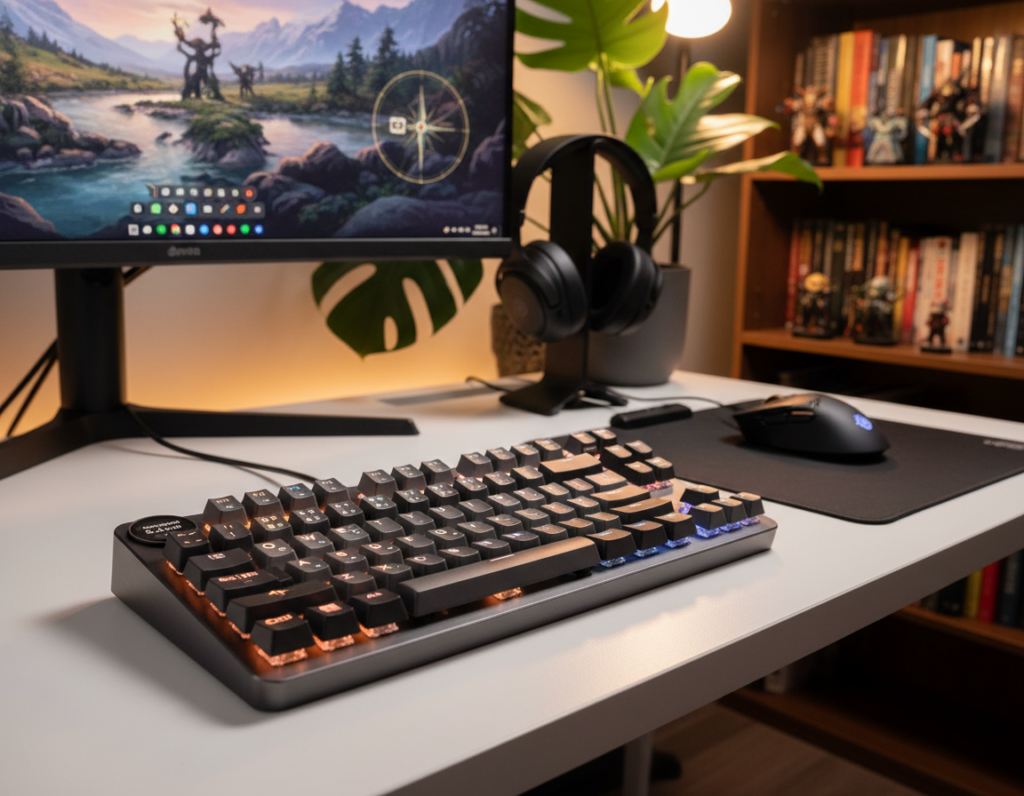
The Apex Pro Mini uses OmniPoint 2.0 HyperMagnetic switches to let you tune actuation precisely. Adjustable actuation and rapid trigger support arrived via firmware updates, giving shallow thresholds and movement-based resets when you want them.
This makes repeated movement inputs feel more immediate once you tune the board to your play style.
60% learning curve: layers, missing function row, and arrow keys
A 60% layout trades width for mouse space. That means no dedicated function row and no standalone arrow keys.
Expect to use layers or remap keys for common productivity tasks. There is a short adjustment period, especially if you rely on arrows day-to-day.
Per-key RGB and onboard profiles
Per-key RGB makes the mini readable: color-code layers, mark critical binds, and switch profiles quickly. The board stores up to five profiles onboard, which helps when you move between setups.
- Why pick it: ideal small-desk option that keeps pro features.
- Portability: 11.53 x 4.02 x 1.59 in and ~1.2 lb wireless—easy to carry to LANs.
- Connectivity: low-latency 2.4GHz, Bluetooth 5.0, and USB-C for wired play/charging.
Battery runs about 30 hours on 2.4GHz with lighting on, so plan to charge more often if you use full rgb lighting. SteelSeries GG adds deep customization and onboard profile management but can be flaky at times.
“Apex Pro Mini Wireless packs OmniPoint tuning and rapid trigger into a true compact board—just expect a learning curve.”
Best Budget-Friendly Upgrade: Cooler Master MK770</h2>
The Cooler Master MK770 stands out as a practical upgrade when you want real features without flagship pricing.
The MK770 earned Tom’s Hardware’s “Best Budget” tag thanks to a 96% layout that keeps a number pad while saving desk width. It ships with a gasket mount that softens impact and improves the overall typing experience.
Gasket mount value and hot-swappable switches
At this price, the gasket design reduces harsh bottom-out and raises perceived build quality. That change makes long sessions quieter and more comfortable.
The hot-swappable PCB supports 5-pin parts, so you can swap switches later instead of replacing the whole board.
96% layout plus a volume knob
The compact 96% footprint keeps productivity keys and gives extra mouse room. A physical volume knob is a small convenience that saves time during matches and calls.
Tri-mode connectivity and software notes
Tri-mode options include a 2.4GHz dongle, Bluetooth (up to three devices), and USB-C wired play. Real-world battery life with lighting off ran about a week on review units.
Heads-up: MasterPlus software can be sluggish and unstable; heavy macro users should plan for limited tooling.
- Switches: Kailh Box V2 (1.8mm actuation).
- Keycaps: double-shot PBT with shine-through legends and basic rgb backlighting.
- Size/weight: 15 x 5.5 x 1.5 in, 2.3 lb.
Overall, the MK770 is the best budget pick when you want a meaningful upgrade with hot-swap freedom and solid wireless connectivity without breaking the bank.
More Responsive Picks to Consider From Budget to Magnetic Switch Options</h2>
Here are solid mid-tier and budget alternatives that still deliver fast input and sensible features. This mini roundup helps if you’re looking beyond the main winners and want specific models or tech types to test.
Low-cost entry points for budget gaming (wired RGB mechanical options)
Priorities: stable case, decent stabilizers, and reliable onboard controls or software. Those three reduce annoyance and make cheap boards feel much better.
Example: Redragon K552P-KB is a straightforward wired RGB option that often shows up in best budget lists. It gives usable key feel and a small footprint without breaking the bank.
Affordable magnetic switch options that mimic rapid trigger behavior
Magnetic switches and hall effect designs can offer adjustable actuation and a fast input feel without flagship pricing. Expect variable actuation and a snappy reset when tuned.
Model notes: AULA HERO84 (8K polling claims), VTER Fighting68, and Redragon K721 are wired magnetic alternatives to try if you want that quick feel on a budget gaming budget.
Tri-mode wireless alternatives with compact layouts
Tri-mode boards suit hybrid users who switch devices and still need a 2.4GHz mode. Look for solid 2.4GHz performance and good battery life if you want the best wireless experience.
Consider AULA F87 TKL or Redragon K708 Pro for compact, tri-mode options. When you compare mainstream picks like the Logitech G515, weigh layout, software stability, and switch feel over brand alone.
Quick tip: if you chase the best budget gaming pick, pick balance — case quality and switch consistency beat flashy specs.
How to Match a Keyboard to Your Desk Setup and Games</h2>
Match your desk and play style first — the right layout and switches follow naturally. Start by noting how much mouse space you have, whether you need a number pad for work, and if quiet operation matters in shared rooms.
FPS setups: prioritize mouse space and rapid trigger
Pick TKL or 60/65 layouts to gain arm room and faster flicks. These layouts free desk area and reduce wide sweeps.
Rapid trigger can help with strafing and quick tap patterns by shortening reset behavior on movement-heavy keys.
Compare pro tkl options like the Apex Pro TKL class to pro-oriented TKLs; performance-leaning models focus on actuation and low latency, while typing-focused TKLs favor tone and comfort.
MMO and productivity: keep the number pad and extra controls
If you use macros, choose boards with a number pad, extra macro keys, and reliable media keys. These reduce layer hopping and speed repeat tasks.
Dedicated media controls help streamers and multitaskers cut alt-tabbing.
Shared office/gaming desks: quiet switches and clean looks
Pick a quieter switch type and subdued RGB. Simple legends and a neutral case keep the desk professional.
A good wrist rest lowers fatigue during long sessions. And if you use arrows daily, avoid 60% unless you can accept an adjustment period—arrow keys matter to typing feel.
“Start with space and use-case, then pick layout, switch tech, connectivity, and lighting.”
- Quick framework: game genre → layout → switch tech → connectivity and lighting.
- FPS tip: TKL/mini + rapid trigger for tighter mouse movement.
- MMO tip: number pad, macros, and dedicated media controls to speed workflows.
Build, Comfort, and Long-Term Ownership Considerations</h2>
Durability and daily comfort shape how a board performs weeks and years after purchase. Small ergonomics and material choices affect fatigue, aim consistency, and decision speed during long sessions.
Wrist rest ergonomics and typing angle
Wrist rest helps when a board has a high front profile or you play long hours. Place it so your wrists stay neutral — not angled up or bent down. A soft, slightly elevated rest reduces strain and keeps your hands ready between rounds.
On shallow-front boards the rest is optional. Try a detachable model so you can test which setup reduces wrist soreness.
PBT keycaps vs ABS keycaps
PBT keycaps resist shine and keep texture longer. They feel grippier on often-used keys and age better in heavy use.
ABS caps start smoother and can go glossy after weeks or months. If you care about long-term look and feel, prioritize PBT where possible.
Hot-swap value over time
Hot-swap sockets let you swap mechanical switches without soldering. That extends life by letting you change feel, actuation weight, and sound as tastes evolve. In the long run, hot-swap boards save money and keep the typing experience fresh.
Durability checklist
- Stabilizer quality and lubing potential
- Cable strain relief and detachable USB routing
- Case rigidity and plate type
- Keycap legend longevity (double-shot or dye-sublimated)
If you shop the best budget tiers, prioritize hot-swap and decent caps over extra lighting modes. Even an entry-level hot-swap model will outlast flashy, fragile boards.
Practical cross-shop note: when comparing mainstream lines like the Corsair K70, check keycap material and long-term wear rather than only RGB and headline specs.
Software, Profiles, and Onboard Controls</h2>
Profiles, lighting, and remap tools decide whether a setup works at LANs and at home.
Onboard profiles store settings on the device so you keep macros, layers, and lighting when you switch PCs or use event rigs. This matters at LANs, tournaments, and multi-PC households.
When hardware profiles beat always-on apps
Apps give deep customization, but they can be heavy or unstable. If you want minimal fuss, pick a board with reliable profile switching and storage.
Remapping, layers, and compact layouts
Look for full key remap, layer support, and tap/hold behaviors. On 60/65 boards, readable secondary legends or clear lighting maps cut errors when you’re using layers.
RGB, rapid trigger tuning, and software-dependent features
Per-key RGB can act as a live map for layers. Advanced performance tweaks like rapid trigger tuning often require vendor software; confirm if settings persist on-device.
Everyday convenience and troubleshooting
Media controls and a volume roller reduce interruptions during streams and hybrid work. Vendor apps may be bloated; open-source tools exist but may lack slick UI.
“If you’re looking to avoid apps, prioritize strong onboard controls and clear profile switching.”
- Confirm onboard profile slots and hotkeys.
- Check whether rapid trigger presets save to device.
- Test media controls and dedicated media buttons in real use.
When shopping, compare models and read notes from users we’ve tested. If you favor a plug-and-play option, consider this gaming keyboard as a quick reference.
Shopping Tips for Finding the Best Gaming Keyboard Deals in the US</h2>
Hunting a deal in the U.S. means timing sales windows and knowing when stock is likely to drop. Use sale cycles and model refreshes to get the most value on a gaming keyboard.
When to buy: sales cycles and price drops on popular models
Watch Prime Day, Black Friday/Cyber Monday, back-to-school, and brand anniversary events. Those windows often show the deepest markdowns.
Compare current offers to typical street price, not only MSRP. Factor in bundled items like wrist rests or extra keycaps when judging a deal.
What to verify before checkout: layout, connectivity, return policy, and switch preference
- Layout: confirm full-size, 96%, TKL, or 60 to match desk space.
- Connection: check wired, 2.4GHz, and bluetooth connectivity options; note best wireless claims if you need them.
- Compatibility: ensure OS support and that onboard profiles meet your needs.
- Return policy: make sure returns are simple—switch feel is personal and may need testing.
- Switches and hot-swap: pick linear, tactile, or clicky based on preference; hot-swap adds future flexibility.
“Prioritize fit and feel over flashy specs—desk space and play style matter most.”
Common comparison paths include SteelSeries Apex Pro / Apex Pro TKL, Razer Huntsman and Huntsman Pro lines, and Corsair K70 variants. Compare software dependence, polling claims, and layout fit before you buy. Pick the best gaming keyboard that matches your desk and games first, then chase premium extras if budget allows.
Conclusion</h2>
Real gains come when a device gives steady, repeatable inputs, not just higher numbers on a sheet. Match features to the games you play and prioritize consistent input behavior over marketing claims.
Top recommendations by use case: the 96% tri‑mode pick for balance, a full‑size feature powerhouse, a typing‑first TKL, and a compact mini for small desks help narrow choices among gaming keyboards.
Feature priority: rapid trigger and adjustable actuation matter in tight movement play. Reliable polling and full rollover keep combos consistent, while layout drives desk ergonomics.
Hall effect and magnetic switches shine when you want deep tunability and fast reset behavior, but real results depend on calibration and software support.
Action step: make a short list of 2–3 models, verify connectivity and returns, then buy the gaming keyboard that fits your desk and delivers the typing experience you’ll keep enjoying.